
Parent Login
We’re pleased to share an important improvement to how parents access Josiah College’s online services. To make logging in simpler and more secure, we are introducing Parent ID Passport (PIP).
What is a Parent ID Passport (PIP)?
PIP is a single sign-on system that allows you to use one secure login to access our parent platforms. We believe that PIP will make your digital interactions with Josiah College user-friendly and more secure. With familiar authentication methods and fewer passwords to remember, you’ll find staying connected with your child’s activities at the College easier than ever.
With the email you have registered with Josiah College, you can now login via:
- Schoolbox
- School App
This means no more remembering long codes or managing multiple usernames and passwords.
How will you log in?
When first signing-in, you will have two options:
- Email Address and Password
- Existing Authentication Providers (Apple, Google, Facebook and Microsoft)
With the email you have registered with Emmanuel College, you can now login via:
Apple, Google, Facebook and Microsoft
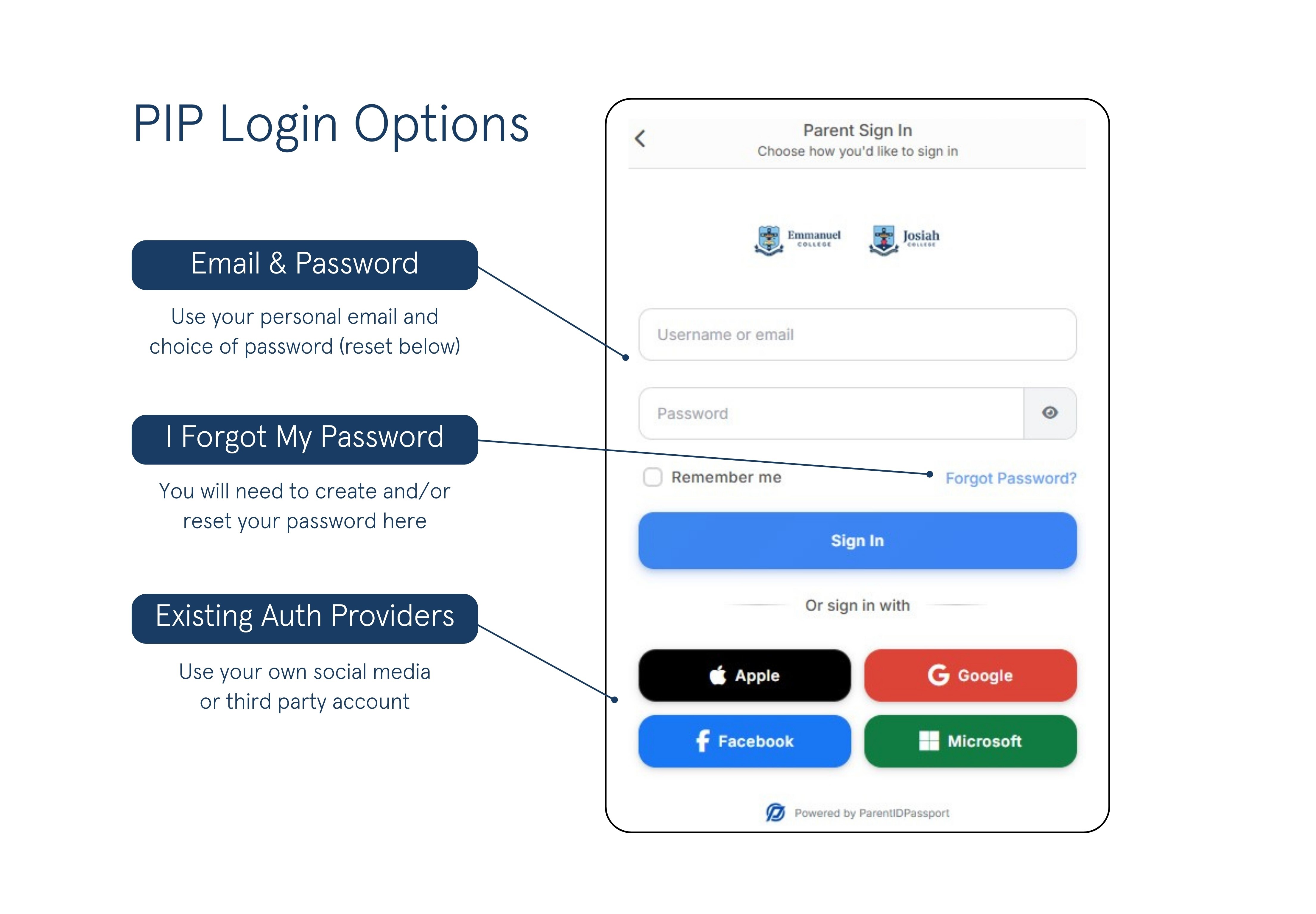
Please note: The email address linked to your chosen provider must match the email registered with the College. If you have forgotten your username (the email you have registered with Josiah College) or would like to update your username, please contact Josiah College Administration:
Email: admin@josiah.qld.edu.au
Phone: 5689 3800 (between 8:00am and 4:00pm, Monday to Friday)
If you do not currently use one of these services, you can log in using your username and password provided below. You will be prompted to create a new password the first time you log in.
Need help?
If you experience any issues or have questions, our IT Support team is here to help:
Email: its@emmanuel.qld.edu.au
Phone: 5561 4090 (between 8:00am and 4:00pm, Monday
to Friday)
We’re excited to offer a smoother, safer way for you to stay connected with our College. Thank you for your support as we roll out this improvement.